


If you are looking for an Apple Business Manager User Guide, You need to know first: Apple Business Manager is now part of Apple Business. Apple launched Apple Business as the new place for business device management, Managed Apple Accounts, app licences, brand tools, support, and other business features.
Apple says the service became available on 14 April 2026 in more than 200 countries and regions. So, the old name still matters for search. However, the setup path has changed.
What Apple Business Manager Is Called Now
Apple Business Manager now sits inside Apple Business. Apple also moved Apple Business Essentials and Apple Business Connect into the same platform. As a result, companies now use one main Apple business hub instead of several separate tools.
| Old Apple tool | Current place |
| Apple Business Manager | Apple Business |
| Apple Business Essentials | Apple Business |
| Apple Business Connect | Apple Business |
This change matters because many guides still explain Apple Business Manager as if it works alone. That can lead to wrong setup steps. Instead, use Apple Business to manage devices, users, apps, roles, domains, locations, and brand details.
Who This Apple Business Manager User Guide Is For
This guide is for small business owners, IT admins, office managers, and operations teams that manage Apple devices at work.
It also helps businesses in UK for buying devices from Apple or an Apple Authorised Reseller. The same guide can help US teams too, mainly if they are moving from Apple Business Manager to Apple Business.
You may need this guide if you want to:
- Add iPhone, iPad, Mac, Apple TV, Apple Vision Pro, or Apple Watch to a company account
- Create Managed Apple Accounts
- Connect Google Workspace or Microsoft Entra ID
- Link built-in or external MDM
- Assign apps and books
- Set up staff roles
- Prepare devices before employees receive them
What You Can Do With Apple Business
Apple Business gives companies one place to manage work devices and Apple services. Apple’s own guide lists areas such as domains, identity providers, Managed Apple Accounts, roles, users, apps, books, device management, Apple Configurator, support, and activity logs.
In plain English, you can use Apple Business to:
| Task | What it means |
| Manage devices | Add and assign company-owned Apple devices |
| Use MDM | Choose Apple’s built-in device management or an external MDM |
| Add users | Create users, groups, and staff roles |
| Create Managed Apple Accounts | Give staff company-owned Apple accounts |
| Connect identity tools | Link Google Workspace, Microsoft Entra ID, or another IdP |
| Assign apps | Buy, assign, revoke, and reassign app licences |
| Manage locations and brands | Control how your business appears across Apple services |
At the same time, Apple Business is not just for IT. It also includes brand tools and customer-facing features, such as location profiles and Branded Mail.
Before You Sign Up: Setup Checklist
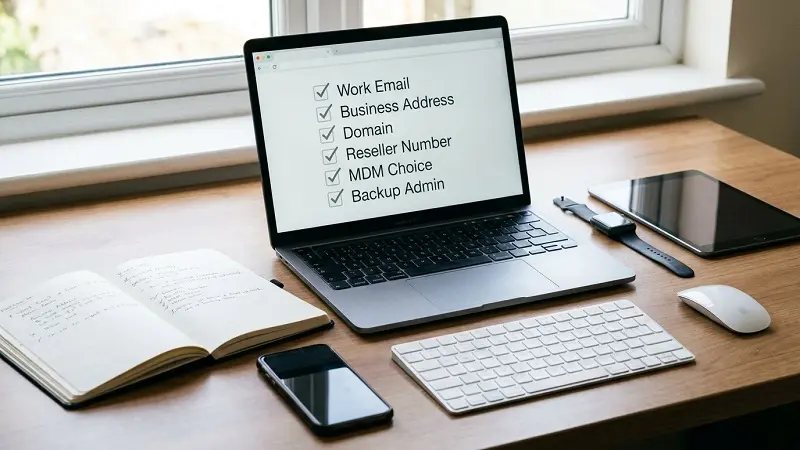
Before you create an Apple Business account, prepare the right details. This saves time later.
| Requirement | Why you need it |
| Work email | Used for the first admin account |
| Business phone number | Used during sign-up and checks |
| Legal business name | Needed for Apple’s business review |
| Business address | Must match your company records |
| Verification contact | Apple may contact this person |
| Domain access | Needed for Managed Apple Accounts and federation |
| Apple Customer Number | Needed for direct Apple purchases |
| Reseller Number | Needed for reseller purchases |
| MDM choice | Decide between built-in management and external MDM |
| Backup admin | Prevents lockout if one admin leaves |
Apple says the first admin account should use a real person’s legal first and last name, not a job title or shared role name. Apple also says automatic device addition depends on an Apple Customer Number or a linked Reseller Number.
How to Sign Up for Apple Business
To sign up, go to Apple Business and create your organisation account.
The basic flow is:
- Add your organisation name.
- Add your website, if you have one.
- Enter your business address.
- Add your work email and phone number.
- Create the first admin account.
- Verify your email and phone number.
- Accept Apple Business terms.
- Verify your organisation.
- Add a second admin.
Apple says you can create the organisation fast, but full approval can take multiple working days. Apple also says businesses have a limited window to verify the organisation, and unverified accounts may be removed with their data and Managed Apple Accounts.
So, do not start sign-up unless the business details and verification contact are ready.
How Existing Apple Business Manager Users Move Over
If your company already used Apple Business Manager, you do not need to rebuild everything from zero.
Apple says existing users of Apple Business Manager, Apple Business Essentials, and Apple Business Connect move into Apple Business. Apple also says those older services are no longer separate after Apple Business launches.
After you sign in, check these items:
- Admin users
- Managed Apple Accounts
- Domains
- MDM links
- Device suppliers
- App and book licences
- Locations and brand data
- Terms and conditions
Then, test one device before you roll changes across the company.
How to Set Up Managed Apple Accounts
Managed Apple Accounts are company-owned Apple accounts for work. They help keep business data separate from personal data.They can be created manually or through identity provider links, such as Google Workspace, Microsoft Entra ID, and other supported services.
| Account type | Owner | Best use |
| Managed Apple Account | Company | Work apps, work data, device setup |
| Personal Apple Account | Employee | Personal apps, photos, iCloud, purchases |
Next, decide how you want to create accounts:
- Manual account creation
- Google Workspace federation
- Microsoft Entra ID federation
- OIDC or SCIM through another IdP
- Directory sync
For most growing teams, federation is the better path. It lets users sign in with their normal work login. However, test it with a small group first, because domain conflicts can slow down rollout.
How to Connect Google Workspace, Microsoft Entra ID, or Another IdP
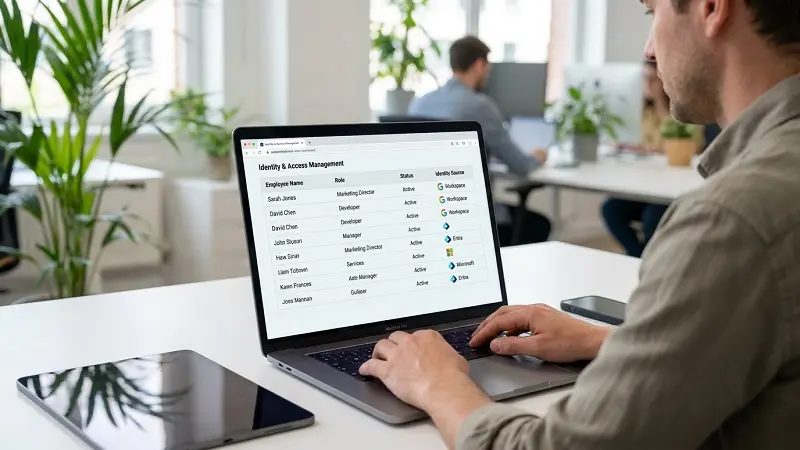
Federation lets staff use a work login for Apple services.
Apple says Apple Business can link to Google Workspace, Microsoft Entra ID through OIDC, or another identity provider through OIDC or SCIM. Apple also says only one identity provider can be linked at a time.
This helps with account creation, staff changes, and sign-in control. For example, when a new employee joins, their Managed Apple Account can follow your user directory. Then, when someone leaves, access can be removed through the same identity process.
Still, set this up carefully. Verify your domain first. Then check for personal Apple Accounts using the same business domain. After that, test sign-in before full rollout.
Roles and Permissions in Apple Business
Roles control what each user can do inside Apple Business.
Apple lists default roles such as Organisation Administrator, IT Administrator, Marketing Administrator, and Staff. It also supports custom roles, including People Manager, Device Enrolment Manager, and Content Manager. Apple says every user needs at least one role, and there can be only 10 users with the Organisation Administrator role.
| Role | Best use |
| Organisation Administrator | Full account control |
| IT Administrator | Device and technical setup |
| Device Enrolment Manager | Device assignment and enrolment work |
| Content Manager | Apps and books |
| Marketing Administrator | Brand and location tools |
| Staff | Normal employee access |
Use one IT administrator and two organization administrators for a small business. Add a Device Enrollment Manager and Content Manager to your expanding team. Roles should be divided by job area in a larger organization to prevent people from having access they don’t require.
How to Add Devices to Apple Business
There are three main ways to add devices.
| Device source | Best path |
| Bought from Apple | Link your Apple Customer Number |
| Bought from reseller | Add the reseller’s Reseller Number |
| Already owned device | Use Apple Configurator where supported |
Apple says devices bought with a linked Apple Customer Number or Reseller Number can appear in Apple Business. It also says you can manually add devices you own through Apple Configurator.
This is useful for zero-touch setup. A new company Mac can ship straight to an employee. Then, when the employee turns it on, the device can enrol into the correct management service and receive apps and settings.
If you buy from a reseller, ask for their Reseller Number early. Then give the reseller your Organisation ID. This helps future device orders show inside Apple Business.
Device Enrolment Methods
Choose the enrolment method based on who owns the device.
Apple says Account-driven User
, Device Enrollment is for company-owned devices already in use, and Automated Device Enrollment is for new or erased company-owned devices.
| Scenario | Best method |
| Employee owns the device | Account-driven User Enrollment |
| Company owns the device and it is already in use | Device Enrollment |
| New or erased company device | Automated Device Enrollment |
| Device was not bought through Apple or a linked reseller | Apple Configurator |
For most company-owned devices, Automated Device Enrollment is the cleanest option. For personal devices, User Enrollment keeps work and personal data separate.
Built-In Apple Business MDM vs External MDM
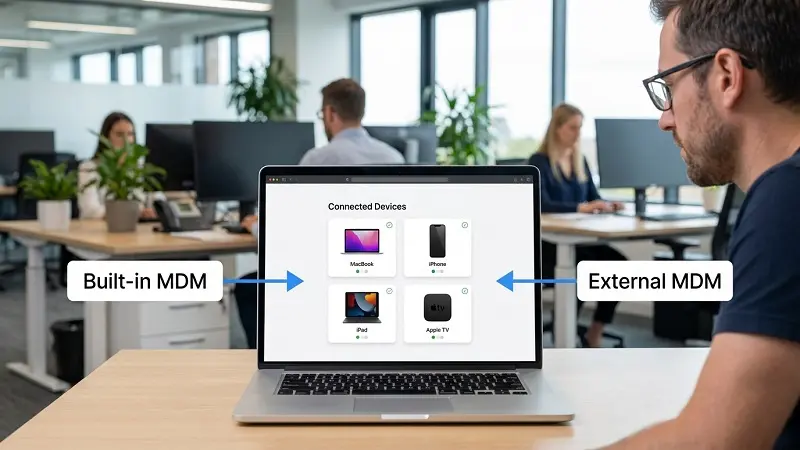
Apple Business includes built-in mobile device management. Apple says it can help businesses configure employee groups, device settings, security, apps, and Blueprints from one interface.
However, some teams still need an external MDM, such as Jamf, Kandji, Mosyle, Addigy, or Microsoft Intune.
| Option | Best for |
| Built-in Apple Business MDM | Small teams with simple Apple-only needs |
| External MDM | Larger teams, deeper policies, reports, and mixed IT systems |
Use built-in management if your setup is simple. Use external MDM if you need more device rules, stronger reporting, complex security controls, or wider IT links.
Also, remember token renewal. Apple says external device management service tokens expire after one year.

How to Assign Devices to MDM
After a device appears in Apple Business, you must assign it to a device management service.
Apple says you can assign devices manually or set automatic assignment. It also says device assignment can use details such as source, order number, device type, or device management service.
Use this order:
- Turn on built-in management or link external MDM.
- Add devices through Apple, reseller, or Apple Configurator.
- Assign devices to the right management service.
- Set default assignment rules.
- Test one device.
- Then give devices to users.
This order keeps the rollout clean.
How to Manage Apps and Books
Apple Business lets companies get licences for apps and books. Apple says apps can be assigned to users or devices, and apps can also be revoked and reassigned. Books work differently because they can be assigned only to users and cannot be revoked and reassigned.
| Content type | Can assign to | Can revoke and reassign? |
| Apps | Users or devices | Yes |
| Books | Users only | No |
So, assign must-have apps before staff receive devices. Then add extra apps later. This avoids heavy first-day installs and keeps setup smoother.
Also, Apple says in-app purchases and subscriptions do not work with volume purchasing, managed apps, or Managed Apple Accounts.
UK and US Notes
For UK businesses, use your legal organisation name, correct business address, work email, Apple Customer Number, and reseller details. Also, if your account is tied to the UK, app availability and licences can follow the UK App Store region.
For US businesses, Apple Business also has customer-facing tools. Apple says Apple Maps ads will be available to businesses in the US and Canada, and businesses need to claim their location on Maps before using Maps ads through Apple Business.
Still, for this topic, device management is the main focus. Maps ads are useful, but they should stay as a short side note in this article.
Common Mistakes to Avoid
Avoid these setup mistakes:
| Mistake | Better choice |
| Following an old ABM-only guide | Use current Apple Business steps |
| Using one admin only | Add at least two trusted admins |
| Forgetting MDM token renewal | Set a yearly reminder |
| Buying devices before reseller setup | Link supplier details first |
| Mixing personal and work accounts | Use Managed Apple Accounts for work |
| Pushing too many apps on day one | Start with core apps |
| Skipping testing | Test one device first |
| Giving broad admin access | Use roles with care |
| Ignoring terms updates | Accept new Apple terms early |
Apple Business Manager User Guide FAQ
Do I need MDM with Apple Business?
Yes, if you want to manage device settings, apps, enrolment, and security rules. You can use built-in Apple Business MDM or connect an external MDM.
Is Apple Business free?
Apple says Apple Business is available as a free service in the US and more than 200 countries and regions. Some add-ons, such as extra iCloud storage and AppleCare+ for Business, may cost more.
Can I use Microsoft Intune with Apple Business?
Yes. Apple Business can link to external device management services, including MDM tools such as Microsoft Intune.
Can I use Google Workspace with Apple Business?
Yes. Apple Business supports Google Workspace for federated authentication and account syncing.
Can I add older devices?
Yes, in some cases. Devices bought through Apple or linked resellers can appear automatically if they meet Apple’s rules. Other owned devices may be added with Apple Configurator, where supported.
What is a Managed Apple Account?
It is a company-owned Apple account for work use. It helps separate business data from personal data.
How often do MDM tokens expire?
External MDM service tokens expire after one year.
Final Word on This Apple Business Manager User Guide
The main point is simple: the Apple Business Manager User Guide now needs to explain Apple Business first. The new location for managing company Apple devices, users, Managed Apple Accounts, apps, books, suppliers, MDM linkages, roles, and brand tools is called Apple Business.
Start with business verification. Then add domains, users, roles, and device suppliers. After that, connect built-in or external MDM, assign devices, test one device, and roll out in stages.
That is the safest way to manage Apple devices for work in 2026.

