


Suppose you want to know How Apple Business Manager works. Here’s the simple answer. Apple Business Manager helped companies link Apple devices, apps, employees, and device management in one place.
Now, Apple Business Manager is part of Apple Business, a newer platform that combines Apple Business Manager, Apple Business Essentials, and Apple Business Connect.
Apple confirms that Apple Business brings these services into one platform. In practice, this means a business can set up company-owned Apple devices before employees start using them.
So, when a staff member turns on a work iPhone, iPad, or Mac, the device can enrol into management, receive work apps, apply security settings, and connect to the right work account.
What Is Apple Business Manager?
Apple Business Manager was Apple’s web portal for business device setup. It helped companies manage device enrolment, app licences, content, and Managed Apple Accounts.
Now, those features sit inside Apple Business. Apple says Apple Business includes built-in mobile device management, business email, calendar services with custom domain support, and tools for reaching local customers.
So, instead of thinking of Apple Business Manager as a separate tool, think of it as one part of the larger Apple Business platform.
For a business, it helps answer four simple questions:
| Business question | What Apple Business helps with |
|---|---|
| Which devices belong to us? | Device ownership and enrolment |
| Who should use them? | Managed Apple Accounts and user roles |
| Which apps should they get? | Apps and Books licences |
| What rules should the device follow? | Built-in device management or third-party MDM |
Related internal link idea: Apple Device Management for Small Businesses
How Apple Business Manager Works After the Apple Business Update
Apple says existing Apple Business Manager, Apple Business Essentials, and some Apple Business Connect users can move into Apple Business when they sign in.
That matters because many older guides still explain Apple Business Manager as if it works alone. Today, the better way to explain it is this:
Apple Business links the company, the user, the device, and the management method. Then, either Apple’s built-in device management or a third-party MDM tool applies the settings.
Apple also says Apple Business includes Blueprints, which help businesses configure employee groups, device settings, security, and apps.
So, the job is still familiar. But the platform is wider now.
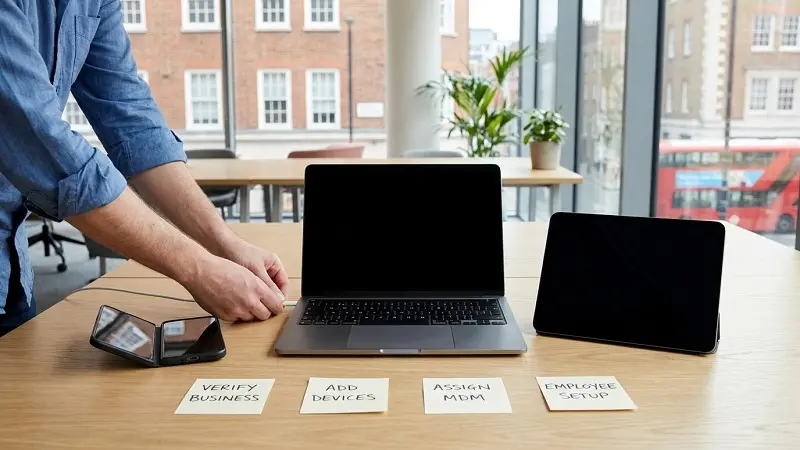
How Apple Business Manager Works Step by Step
Let’s break it down.
| Step | What happens |
|---|---|
| 1. Sign up | The business creates an Apple Business account. |
| 2. Verify the company | Apple checks the company details before all features open. |
| 3. Add devices | Devices bought through Apple or approved channels can appear in the account. |
| 4. Choose management | The admin uses built-in device management or connects an MDM tool. |
| 5. Start the device | The employee turns it on and signs in. |
| 6. Apply settings | Apps, accounts, rules, and security settings are sent to the device. |
Apple says a business has 60 days to verify its organization after sign-up. Apple also lists verification methods such as Business ID, domain validation, App Store Connect, and official business documents.
Then, once devices are enrolled, Apple says they can receive configured settings, assigned apps, and the Apple Business app.
What Apple Business Manager Controls
Apple Business Manager, through Apple Business, controls the parts of setup that matter most to IT teams.
Device Enrolment
Device enrolment links Apple devices to your business. Apple says Automated Device Enrollment is for new or erased devices and lets organizations manage devices from the moment they are turned on.
This helps IT teams set up devices without touching each one by hand.
Apps and Books
Apple Business also handles app and book licences. Admins can assign apps to users or devices through device management. Apple says apps assigned through a device management service, including Apple Business, may be removed when a user unenrols the device.
That helps a business keep control of paid app licences.
Managed Apple Accounts
Managed Apple Accounts are work-owned Apple accounts. Apple says organizations create, own, and manage these accounts, and they are separate from personal Apple Accounts.
This matters because work data and personal data should stay separate. It also helps with access control when an employee joins or leaves.
Apple also supports account creation through tools such as Google Workspace, Microsoft Entra ID, or another identity provider.
Roles and Admins
Apple Business uses roles so the right people get the right access. For example, one person may manage devices, while another handles apps, users, or organization settings.
This keeps admin access cleaner and safer.
MDM Connection
Apple Business can send devices into management. Then, the MDM tool handles the deeper settings.
For example, According to Microsoft, Apple automated device enrolment token creates the trust link between Intune and Apple Business. It lets Intune sync device data, upload enrolment policies, and assign devices to those policies.
Apple Business Manager vs MDM
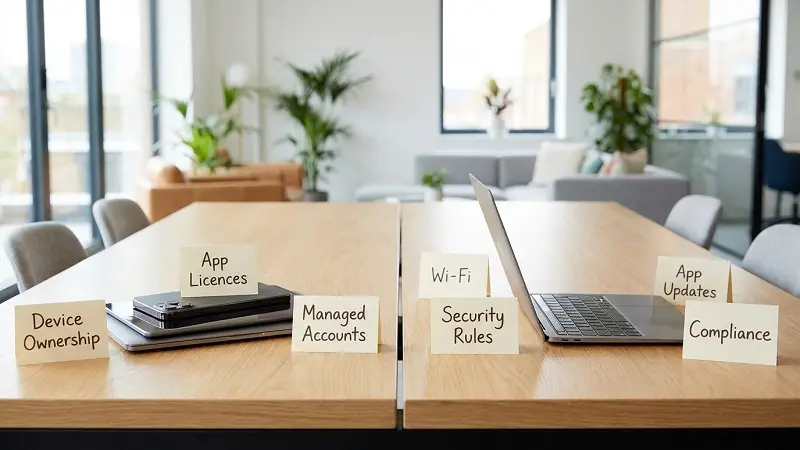
Apple Business and MDM work together, but they do different jobs.
| Apple Business / Apple Business Manager | MDM |
|---|---|
| Links devices to the company | Applies settings and restrictions |
| Helps enrol devices | Pushes Wi-Fi, VPN, apps, and updates |
| Manages app licences | Checks device rules and compliance |
| Supports Managed Apple Accounts | Controls daily device settings |
| Helps with zero-touch setup | Manages the device after setup |
Here’s the thing: Apple Business proves ownership and starts the setup process. MDM controls the device after that.
Does Apple Business Manager Work Without MDM?
Yes, but it depends on the business.
Now, Apple Business includes built-in device management. Apple says its platform has built-in mobile device management and Blueprints for groups, device settings, security, and apps.
However, larger teams may still choose a third-party MDM. For example:
| Tool type | Best fit |
|---|---|
| Microsoft Intune | Businesses already using Microsoft 365 and Entra ID |
| Apple first teams with many Macs and iPhones | Apple-first teams with many Macs and iPhones |
| Kandji or Mosyle | Apple-focused teams that want simple automation |
| ManageEngine or Scalefusion | Mixed device fleets with Apple, Android, and Windows |
So, small teams may start with Apple Business. Larger teams may still need a separate MDM.
Related internal link idea: Apple Business Manager vs MDM: What’s the Difference?
UK Setup Checklist

Before setting up Apple Business in the UK, prepare the basics first.
| Task | Why it matters |
|---|---|
| Use a business email | Keeps admin access tied to the company |
| Verify your organization | Unlocks full Apple Business features |
| Verify your domain | Helps with Managed Apple Accounts and identity tools |
| Add approved suppliers | Helps new devices appear in Apple Business |
| Choose built-in management or MDM | Sets the device control method |
| Test one device first | Finds setup errors before rollout |
| Record admin ownership | Avoids access issues if staff leave |
Apple says domain verification uses a TXT record added to the domain’s DNS server. It also says domain verification helps prove that the business owns the domain.
For UK businesses, this step is easy to miss. Still, it can affect Managed Apple Accounts, sign-in, and long-term account control.
Common Mistakes to Avoid
A good setup is not hard, but small mistakes can create big delays.
| Mistake | Better action |
|---|---|
| Using a personal Apple Account as the main admin | Use a work-owned admin account |
| Buying devices outside approved channels | Check supplier support before purchase |
| Skipping company verification | Complete it early |
| Ignoring domain setup | Verify the domain before user rollout |
| Forgetting the Intune or MDM token | Track renewal dates |
| Testing only after rollout | Test before sending devices to staff |
| Mixing personal and work accounts | Use Managed Apple Accounts for work access |
Also, remember that feature access can vary by country. For example, Apple says the option to place local ads in Maps is coming for businesses in the US and Canada. UK businesses should not build that into their local plan unless Apple expands access.
Is Apple Business Manager Free?

Apple Business is free to start. Apple announced Apple Business as a platform that combines built-in mobile device management, business email and calendar services, custom domain support, and customer-facing business tools.
That said, some extras may cost money. For example, AppleCare+ for Business and extra iCloud storage may have separate pricing. So, before rollout, UK businesses should check current Apple pricing and feature access.
FAQs
What is Apple Business Manager used for?
It helps businesses manage Apple device enrolment, apps, Managed Apple Accounts, and device assignment.
Is Apple Business Manager now Apple Business?
Yes. Apple Business Manager is now part of Apple Business.
Can Apple Business Manager manage Macs?
Yes. Apple Business can help enrol and manage Macs through built-in management or a third-party MDM.
Can it manage iPhones and iPads?
Yes. It can enrol iPhones and iPads, assign apps, and apply business settings.
Does Apple Business Manager replace MDM?
Not always. Apple Business now includes built-in management, but many companies still use tools like Intune or Jamf for deeper control.
What is zero-touch deployment?
It means IT can send a device to an employee without setting it up by hand first. The device enrols when the user turns it on.
What are Managed Apple Accounts?
They are work-owned Apple accounts. The business owns and manages them, and they stay separate from personal Apple Accounts.
Can small businesses use Apple Business?
Yes. Small teams can use Apple Business to set up devices, assign apps, manage users, and apply basic security rules.
Final Thoughts on How Apple Business Manager Works
How Apple Business Manager Works is simple once you see the flow. Apple Business links your company to its Apple devices, assigns those devices to management, and helps send apps, accounts, and settings to staff.
For UK businesses, the best setup starts with verification, domain planning, approved device purchasing, and one test device. Then, once the process works, the business can roll it out across more iPhones, iPads, and Macs with less manual work.
So, Apple Business Manager is no longer just a device portal. As part of Apple Business, it now gives companies a cleaner way to manage Apple devices, work accounts, apps, and setup from one place.

