Apple Business Manager (ABM) is Apple’s free portal that lets businesses manage every Apple device, work account, and app licence from a single place. If your company runs iPhones, iPads, or Macs, Apple Business Manager is where your entire device management strategy starts.
Apple rebranded and rebuilt ABM in April 2026 into a new platform called Apple Business. So if you have been reading older guides and feeling confused, that is exactly why. This article covers what the tool does, what changed, and whether your business actually needs it.
What Is Apple Business Manager, in Plain English?
Picture this. You buy 20 iPhones for your team. Without ABM, someone physically sets up each one by hand. That takes hours. With Apple Business Manager, every phone configures itself the moment it connects to Wi-Fi. No one needs to touch a single device.
That is the core idea. Beyond that, ABM does three things well:
- It tracks every Apple device your company owns
- It lets you buy and push apps to devices without personal Apple IDs
- It creates company-owned work accounts called Managed Apple IDs
And it is completely free. Apple charges nothing for ABM itself.
One more thing before we move on. As of April 14, 2026, Apple renamed and merged ABM into a new platform simply called Apple Business, accessible at business.apple.com. The features are almost identical, so everything in this guide applies to both.
What Changed in April 2026
This is the update most guides online have not covered yet.
Apple merged three separate tools into one. Those tools were Apple Business Manager (device and account management), Apple Business Essentials (Apple’s own basic paid MDM service), and Apple Business Connect (brand management for Apple Maps and Wallet). All three now live under one roof: Apple Business.
If you already had an ABM account, your data carries over. Your devices, MDM connections, and Managed Apple IDs stay intact. Apple did not force anyone to restart from scratch.
For UK businesses specifically: Apple Business Essentials was a US-only service that never fully launched in the UK. So the rebrand does not add significant new functionality for most UK users yet. The free device management features remain, and the paid MDM component is rolling out globally but has limited UK availability right now.
Bottom line: any article that discusses ABM without mentioning this change was written before April 2026. Treat it with caution.
What Apple Business Manager Actually Does
Here are the key features.
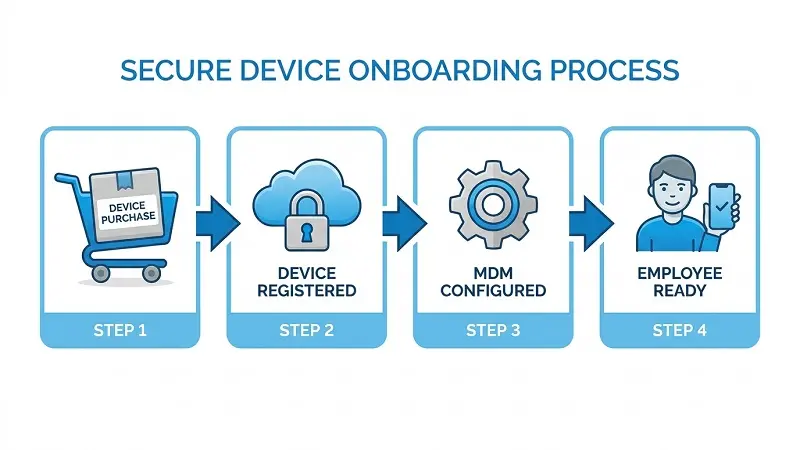
Automated Device Enrollment (Zero-Touch Deployment)
When you buy a device through Apple or an authorised reseller, its serial number links to your ABM account automatically. The moment an employee turns it on and connects to Wi-Fi, it configures itself. No one on your team physically touches it.
Apps and Books
Buy app licences in bulk and push them silently to any device. No redemption codes needed. When someone leaves, revoke the licence and reassign it to the next person.
Managed Apple IDs
These are company-owned work accounts. You create them, control them, and delete them when an employee leaves. Employees use these on work devices instead of personal Apple IDs.
Directory Federation
ABM syncs with Microsoft Azure Active Directory and Google Workspace. Add a new employee to your existing directory and their Managed Apple ID appears automatically.
Role Assignment and Device Inventory
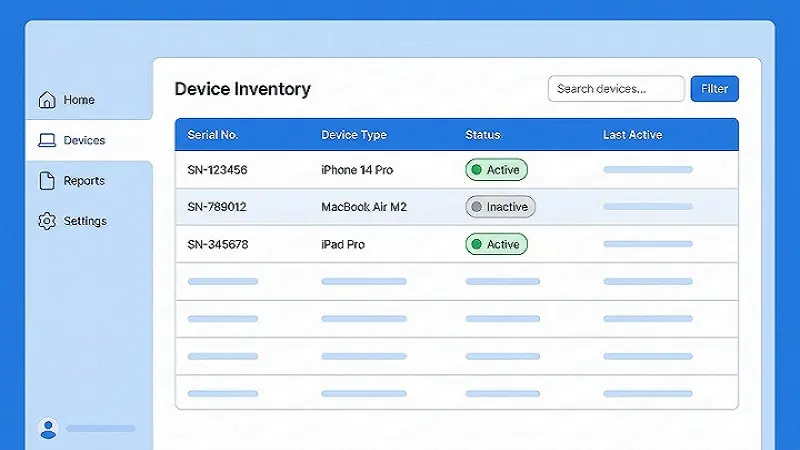
Assign different access levels to different team members. Admins enrol devices, content managers handle app purchases, people managers deal with accounts. Your device inventory gives you a live list of every Apple device on your account, with serial numbers and enrolment status included.
Apple Business Manager Is NOT an MDM
This confuses a lot of people, so let’s clear it up properly.
MDM stands for Mobile Device Management. An MDM is the tool that actually controls devices. It pushes security settings, forces screen locks, wipes stolen phones, and blocks employees from installing apps you do not want on work hardware.
ABM does none of that on its own. Think of ABM as the foundation and MDM as the house built on top of it. ABM registers your devices with Apple and gives your MDM permission to manage them. Without ABM, your MDM cannot enrol Apple devices. Without an MDM, ABM has very limited practical use.
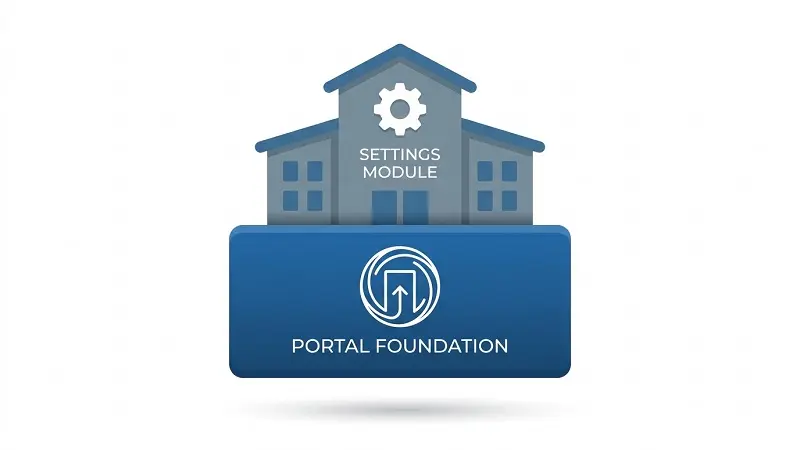
So you need both. Popular MDM tools that connect directly to ABM include Jamf Pro, Mosyle, Kandji, and Microsoft Intune. Each takes over the actual device control side once ABM hands off the device.
Who Needs Apple Business Manager?
Short answer: any business that hands Apple devices to employees.
Even five iPhones on your company’s books is enough reason to set up ABM. You get proper control, clean app distribution, and future-proof device management.
For UK small businesses with no dedicated IT team, this is worth knowing: ABM is something a non-technical person can manage with a straightforward MDM alongside it. It takes some initial learning, but it is not complicated once you understand the structure. If you run a school or college, note that schools use a separate free tool called Apple School Manager (ASM) instead, which has classroom-specific features built in.
ABM vs Apple School Manager vs Apple Business Essentials
Here is a clean side-by-side comparison so you can see where each tool fits.
| Feature | Apple Business Manager | Apple School Manager | Apple Business Essentials |
|---|---|---|---|
| Who it is for | Businesses | Schools and colleges | Small businesses (US-focused) |
| Cost | Free | Free | Paid subscription |
| Device management | Via third-party MDM | Via third-party MDM | Basic MDM built in |
| Managed Apple IDs | Yes | Yes (staff and students) | Yes |
| Volume app purchasing | Yes | Yes | Yes |
| AppleCare+ support included | No | No | Yes |
| UK availability | Yes | Yes | Very limited |

Apple Business Manager suits any business managing Apple devices. There is education version with student roles, app locking during class, and Student Information System integration. Apple Business Essentials was Apple’s attempt at an all-in-one small business solution. It launched in the US in 2022, never properly reached the UK, and is now folded into the Apple Business platform.
How to Sign Up for Apple Business Manager
The process takes about 20 minutes. Get these four things ready first or your application will stall.
A DUNS Number.
Apple verifies every company through the Dun and Bradstreet (D&B) database. If your details do not match their records, your application comes back to you. UK businesses can request a free DUNS number at the D&B website. Allow a few days before applying.
A business email address.
Gmail, Hotmail, and Yahoo are not accepted. You need an email on your own company domain. This becomes your administrator Managed Apple ID.
A verification contact
Apple contacts a legal representative of your business, typically your CEO, CFO, or director, to confirm the application. This person cannot be the same person applying.
Your Apple Customer Number or Reseller ID
Buy directly from Apple? Use your Apple Customer Number. Buy through a UK carrier or authorised reseller? Add their Reseller ID. This is what links device purchases to your ABM inventory automatically.
Common Problems and How to Fix Them
No other “what is” article covers this section. These are the three issues you are most likely to face.
The T_C_NOT_SIGNED Error
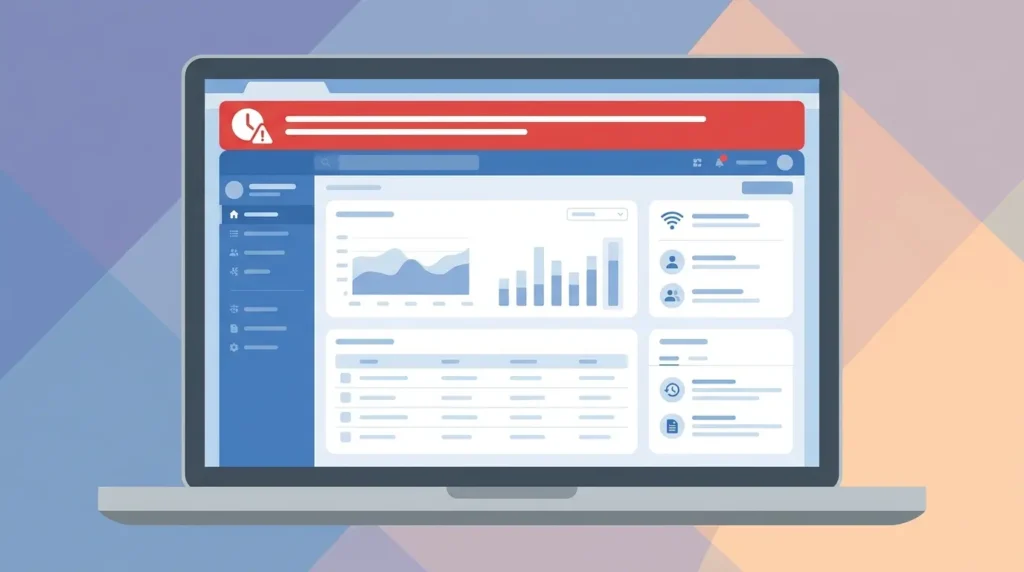
Every time Apple releases a major iOS, iPadOS, or macOS update, an administrator must log into ABM and accept the updated terms and conditions. If no one does this, your MDM stops enrolling devices and throws an HTTP 403 error labelled T_C_NOT_SIGNED. The fix is straightforward: log into business.apple.com, accept the terms, and your MDM connection restores shortly after. The real issue is that people miss Apple’s notification email. Make sure the admin account email address is actively monitored.
Token Expiry
ABM uses two tokens to stay connected to your MDM: the Device Enrollment token and the Apps and Books token. Both expire once a year. When either expires, automatic device enrolment stops and app assignments break. Set a calendar reminder to renew both tokens every six months rather than once a year. A yearly reminder too easily falls on a holiday or a busy period. Six months gives you a reliable buffer.
Admin Account Security
ABM administrator accounts cannot use federated authentication, even though they manage federation for everyone else. Admins log in with a standard Apple Account and SMS-based two-factor authentication. SMS 2FA has real weaknesses, and SIM swapping is a known attack method. Given that an ABM admin account controls your entire company’s device setup, that matters. The practical fix: use a dedicated phone number for ABM admin access, keep it private, and enable SIM swap protection with your mobile carrier.
What Happens When an Employee Leaves?
Most guides skip this entirely. Here is what you actually need to do.
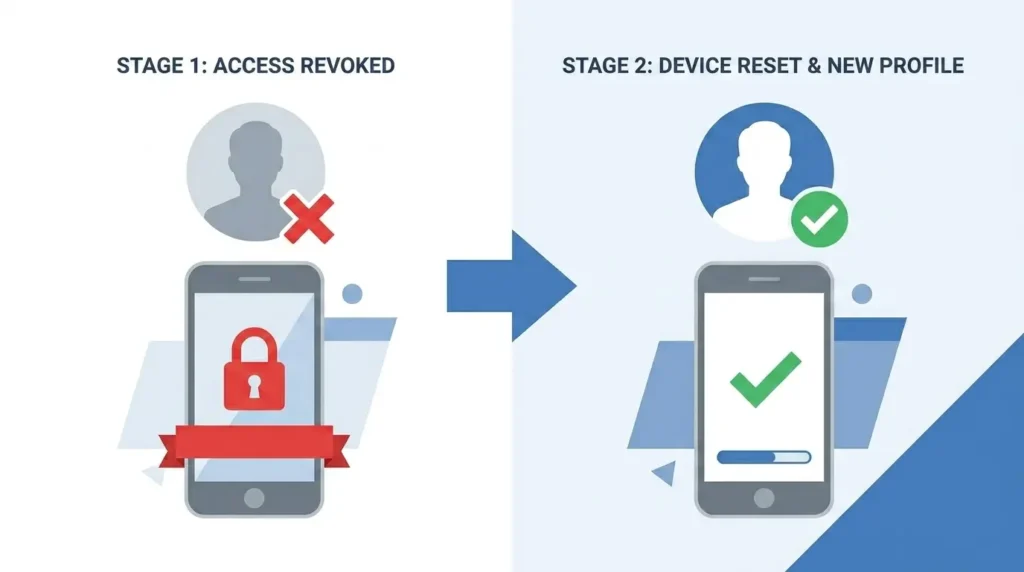
First, delete their Managed Apple ID in ABM. That cuts off access to all company Apple services straight away. If their device is still enrolled in your MDM, remotely lock or wipe it from there.
Second, revoke their app licences. Apps assigned to a user’s Apple ID through Apps and Books get removed from their devices once revoked, and the licence returns to your pool for reassignment. Apps assigned directly to a device stay put and need no action.
Third, reassign the device. Your MDM can unenrol it from the leaving employee’s profile and re-enrol it fresh for the next person. Because ABM registered the device from the start, this process is clean. In most cases, no manual factory reset needed.
One thing to check: if the employee turned on Activation Lock with their personal Apple ID, use ABM’s built-in Activation Lock bypass tool to clear it before reassigning.
Is Apple Business Manager Right for Your Business?
Let’s be straightforward about this.
If you run a small business with up to 25 Apple devices and no compliance requirements, Apple Business Manager paired with a simple MDM covers everything you need. The cost is low and the setup is manageable without a full IT team.
If you work in a regulated industry like fintech, healthcare, or legal, ABM is still the right starting point. But you need a full MDM on top of it. UK GDPR, Cyber Essentials certification, and ISO 27001 all require compliance reporting and audit trails that ABM alone cannot provide. A dedicated MDM like Jamf Pro handles that side.
If you run a mixed device fleet with Android and Windows alongside Apple, note that ABM handles Apple devices only. Microsoft Intune covers cross-platform management well, especially if you already run Microsoft 365.
The honest take: Apple Business Manager is free, so set it up regardless of your size. It does not do everything alone, but nothing in the Apple device management stack works properly without it.
Related read: Best MDM Solutions for UK Small Businesses in 2026: Jamf vs Mosyle vs Intune Compared
Frequently Asked Questions
Is Apple Business Manager free?
Yes. Apple charges nothing for ABM or the new Apple Business platform. Costs come in only when you add a third-party MDM solution.
Do I need an MDM to use Apple Business Manager?
You can sign up for ABM without one. But without an MDM connected, you cannot push settings, enforce policies, or wipe devices remotely. ABM alone is limited to device registration, account creation, and app purchasing.
Can I add devices not bought directly from Apple?
Yes. Devices purchased through authorised UK resellers and carriers link to your ABM account using the reseller’s ID. You can also add older devices manually through Apple Configurator, though those get a 30-day provisional window where the user can remove the MDM profile.
What replaced Apple Business Manager?
Apple Business, launched on April 14, 2026. It brings ABM, Apple Business Essentials, and Apple Business Connect together in one platform at business.apple.com.
How long does enrolment take?
The application takes about 20 minutes to fill in. Apple then verifies your business details through D&B and contacts your verification representative. Approval typically takes one to three business days.
Final Thoughts
Apple Business Manager sits at the centre of every well-run Apple device environment. Without it, device enrolment is manual, app distribution is messy, and employee account management turns into a headache fast. With it, new devices set themselves up, apps flow out to teams automatically, and offboarding a leaving employee takes minutes.
Set up Apple Business Manager first. Then choose the MDM that fits your size and industry. That combination gives you a clean, scalable device management setup that grows with your business.
Leave a Reply