


What Is Apple Business Manager? Apple Business Manager was Apple’s free online portal for companies that used Apple devices at work. It helped IT teams enrol iPhone, iPad, Mac, and Apple TV devices, manage apps, create Managed Apple Accounts, and connect devices to MDM software.
However, Apple Business Manager is no longer the main name Apple uses. Apple says Apple Business Manager is now part of Apple Business, a wider platform that brings together Apple Business Manager, Apple Business Essentials, and Apple Business Connect.
So, if you are searching for Apple Business Manager in 2026, you are really looking at Apple Business. The old name still matters because many companies, IT teams, and business owners still use it. But the current platform does much more than the old portal.
Let’s break it down.
Quick answer: What is Apple Business Manager?
Apple Business Manager was a web-based tool from Apple for business and IT teams.
It helped companies:
- Enrol Apple devices
- Assign devices to employees
- Manage app and book licences
- Create Managed Apple Accounts
- Connect Apple devices to MDM software
- Set up new devices with less manual work
In simple terms, Apple Business Manager helped a company control Apple devices before those devices reached staff.
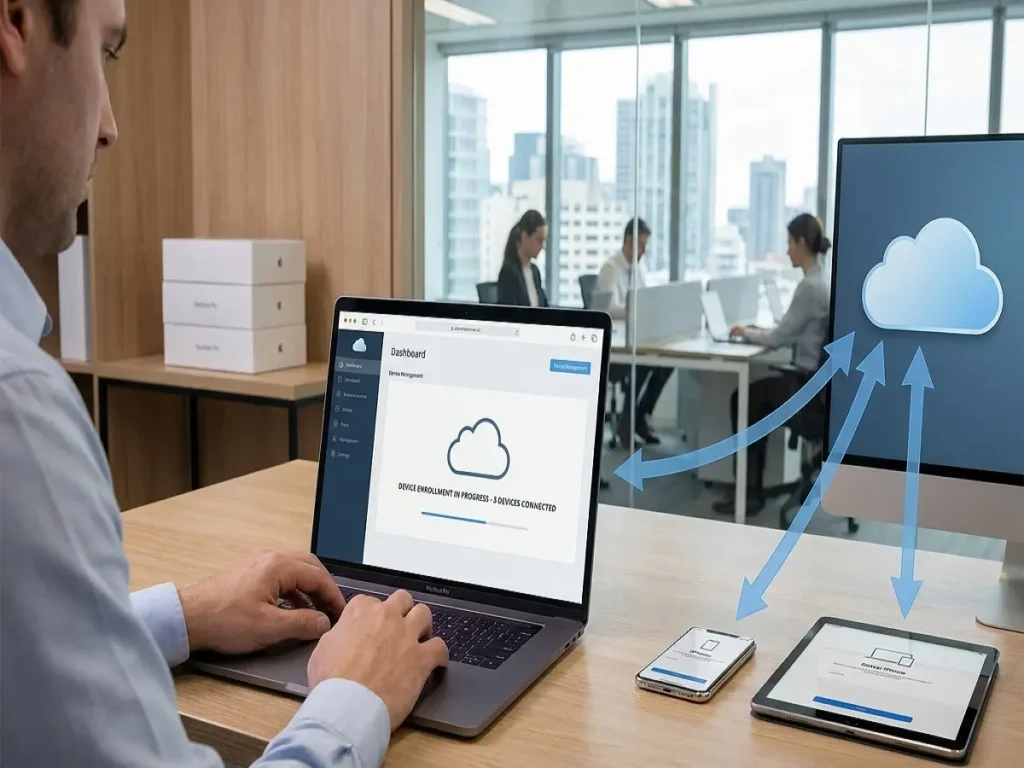
For example, a company could buy MacBooks from Apple or an Apple Authorised Reseller. Then those MacBooks could appear inside Apple Business Manager. After that, the IT team could assign them to an MDM service. So, when an employee turned on the Mac, the device could start work setup on its own.
This saved time. It also helped reduce setup mistakes.
Is Apple Business Manager still available?
Apple Business Manager has moved into Apple Business.
Apple says Apple Business is a unified platform available in more than 200 countries and regions. It combines Apple Business Manager, Apple Business Essentials, and Apple Business Connect into one place.
That means the old Apple Business Manager features still exist, but they now sit inside a wider tool.
Before, Apple Business Manager mainly helped with device enrolment, app licences, and work accounts. Now, Apple Business also includes built-in device management, support, storage, business listings, Tap to Pay on iPhone, Branded Mail, and Apple Maps tools.
So, the short answer is yes, the features still exist. But the name and scope have changed.
What does Apple Business do now?
Apple Business now covers more than device setup.
It can help a company manage:
- Employee accounts
- Apple devices
- Apps and books
- Device settings
- Security settings
- Business email
- Calendar and directory
- iCloud storage
- AppleCare+ for Business
- Brand details on Apple services
- Tap to Pay on iPhone
- Branded Mail
Apple’s own guide says Apple Business helps organisations manage people and devices, reach customers, give teams work tools, and get expert support.
Device management
Apple Business has built-in device management. Apple says this gives companies access to Configurations and Blueprints.
That means a business can send apps, settings, and commands to devices without always needing a separate MDM tool.
Blueprints
Blueprints help companies apply apps and settings to users, groups, and devices. Apple says applying a Blueprint to a user group can automate app and configuration assignments.
For example, a sales team may need email, CRM apps, calendar access, and Tap to Pay. A design team may need creative apps and cloud storage. Instead of setting up each device by hand, IT can apply a Blueprint.
Managed Apple Accounts
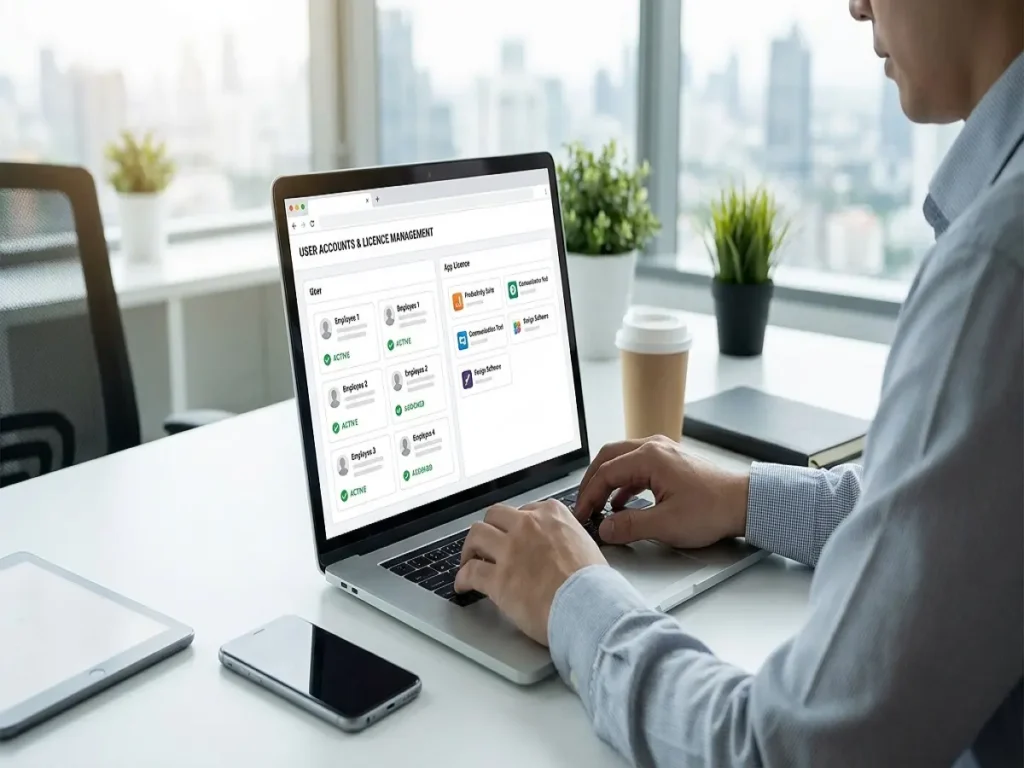
Managed Apple Accounts are work-owned Apple accounts. They are different from personal Apple accounts.
Apple says Apple Business can create and manage these accounts at scale. It can also work with Google Workspace, Microsoft Entra ID, or another identity provider.
As a result, staff can use company login details while the business keeps control of work access.
Apps and books
Apple Business and a device management service work together so a company can get app and book licences.
That matters because the company owns the licence. If an employee leaves, the business can take back the licence and give it to someone else.
Apple Business Manager vs Apple Business
Apple Business Manager and Apple Business are linked, but they are not the same.
| Feature | Apple Business Manager | Apple Business |
|---|---|---|
| Device enrolment | Yes | Yes |
| App and book licences | Yes | Yes |
| Managed Apple Accounts | Yes | Yes |
| Built-in device management | Limited | Yes |
| Blueprints | No | Yes |
| Business email | No | Yes |
| Calendar and directory | No | Yes |
| iCloud storage options | No | Yes |
| AppleCare+ for Business | Separate | Add-on |
| Apple Maps business tools | No | Yes |
| Best use | Apple IT setup | Wider business management |
What this really means is simple. If your company used Apple Business Manager before, Apple Business is now the place to manage those tasks.
How Apple Business Manager works with MDM
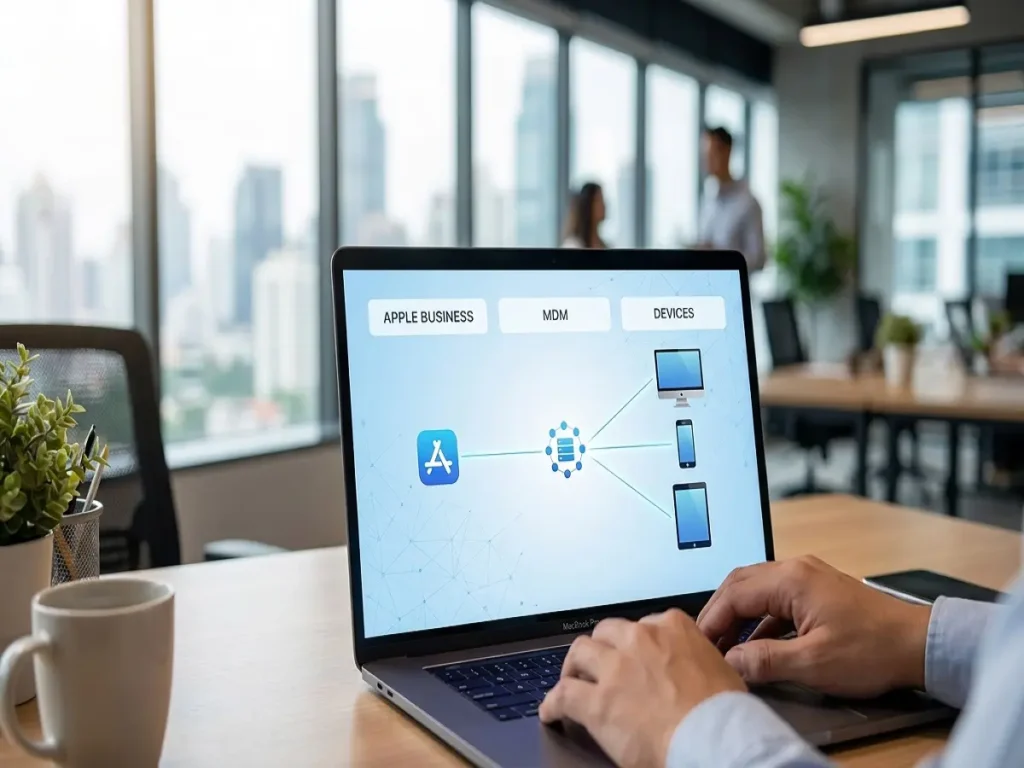
Apple Business Manager used to work with MDM software.
MDM means mobile device management. It helps companies control devices, apps, settings, updates, and security rules.
Apple Business Manager handled the Apple-side connection. Then the MDM handled daily control.
For example, Apple Business Manager could assign a MacBook to Jamf, Microsoft Intune, Mosyle, Kandji, or another MDM. Then the MDM could push:
- Wi-Fi settings
- VPN settings
- Apps
- Passcode rules
- Security settings
- Update rules
- Lock commands
- Wipe commands
Apple says Automated Device Enrollment lets organisations enrol Apple devices in device management without physically preparing them before users get them.
So, Apple Business Manager did not replace MDM. It helped devices get into MDM.
Now, Apple Business includes built-in device management. However, many companies still use a separate MDM for deeper control.
Do you still need Jamf, Intune, Mosyle, or another MDM?
Maybe.
Apple Business may be enough for small Apple-only companies. For example, a small agency with Macs and iPhones may only need simple enrolment, app control, support, and account setup.
However, a larger company may still need a full MDM. This is true if it has audit needs, mixed devices, strict security rules, or detailed reporting needs.
| Business need | Apple Business may be enough | Dedicated MDM is better |
|---|---|---|
| Small Apple-only team | Yes | Maybe |
| Basic app setup | Yes | Maybe |
| Simple device settings | Yes | Maybe |
| Compliance reports | No | Yes |
| Windows or Android devices | No | Yes |
| Advanced security rules | No | Yes |
| Large device fleet | Maybe | Yes |
| Audit evidence | No | Yes |
So, use Apple Business alone if your setup is simple.
Use Apple Business with MDM if your company needs deeper control, stronger reports, or mixed-device support.
Main benefits of Apple Business Manager
Apple Business Manager became popular because it made Apple device setup faster and cleaner. Those benefits still matter inside Apple Business.
Faster device setup
With Automated Device Enrollment, a company can send a device to an employee and let setup begin during activation. The IT team does not need to touch every device first.
Clear company ownership
Apple Business helps a company track business-owned Apple devices. This matters when staff leave, when devices get lost, or when hardware needs to be reused.
Less manual work
Manual setup creates errors. One device may miss an app. Another may miss a Wi-Fi setting. Another may use a personal Apple account.
Apple Business helps reduce those errors by giving teams repeatable setup steps.
Better app licence control
Companies can buy app licences and assign them to users or devices. Then, when a person leaves, the company can reuse those licences.
Cleaner staff onboarding and offboarding
When someone joins, the company can give them the right device, account, apps, and settings.
When someone leaves, the company can remove access, wipe devices if needed, and recover app licences.
How to set up Apple Business
Here is the simple setup flow.
| Step | What to do |
|---|---|
| 1 | Go to Apple Business |
| 2 | Create the company account |
| 3 | Add legal business details |
| 4 | Verify the organisation |
| 5 | Verify the company domain |
| 6 | Add users |
| 7 | Add devices |
| 8 | Choose built-in device management or connect MDM |
| 9 | Add apps, settings, and Blueprints |
| 10 | Test with one device before full rollout |
Use a work email address, not a personal one. Also, choose an admin who can manage company devices and accounts.
Next, verify your domain. This helps with Managed Apple Accounts and keeps work accounts tied to your company.
Then, add devices. Devices bought from Apple, a carrier, or an Apple Authorised Reseller are usually easier to enrol. Apple also says some devices that were not bought through these routes can be added manually with Apple Configurator.
Finally, test before you roll it out across the company.

What you need before setup
Before you start, collect the right details.
| Requirement | Why it matters |
|---|---|
| Legal company name | Helps with business verification |
| Business website | Supports identity checks |
| Work email | Keeps admin access professional |
| Business phone number | May be used for verification |
| Company address | Confirms organisation details |
| D-U-N-S number | Helps verify the business |
| Domain DNS access | Needed for domain verification |
| Apple reseller details | Helps devices appear in Apple Business |
| MDM choice | Needed if using a third-party MDM |
| User list | Helps create staff accounts |
| Device list | Helps plan rollout |
Also, speak with your Apple reseller before buying devices. If the reseller links purchases to your Apple Business account, enrolment becomes easier.
Common mistakes to avoid
Apple Business works best when the setup is clean.
Avoid these mistakes:
- Using personal Apple accounts for work devices
- Buying devices with no enrolment plan
- Skipping domain verification
- Forgetting to assign devices to MDM
- Rolling out settings without testing
- Leaving old employees active
- Losing track of app licences
- Releasing devices from Apple Business by mistake
The biggest issue is personal account use. If an employee uses a personal Apple account on a company device, the business may struggle later with access, apps, files, or Activation Lock.
So, use Managed Apple Accounts for work where possible.
Apple Business Manager cost
Apple Business is free to start.
Apple’s Apple Business page says each user gets 5GB of included storage. It also lists paid storage plans and AppleCare+ for Business options.
Still, the full setup may include extra costs.
| Cost area | Free or paid |
|---|---|
| Apple Business platform | Free to start |
| 5GB storage per user | Included |
| Extra iCloud storage | Paid |
| AppleCare+ for Business | Paid |
| Paid apps | Paid |
| Third-party MDM | Usually paid |
| Setup support | Usually paid |
| Devices | Paid |
So, Apple Business can reduce software cost for small teams, especially with built-in device management. But a company should still budget for devices, apps, support, and any external MDM. How much does Apple MDM cost?
Apple Business Manager for UK businesses
Apple Business is useful for UK companies that need better control over Macs, iPhones, and iPads.
It can help with:
- Remote staff setup
- Leased Apple devices
- App licence control
- Staff onboarding
- Device ownership
- Lost device handling
- Basic security settings
UK businesses should pay close attention to D-U-N-S details, domain verification, and Apple Authorised Reseller setup.
Also, if your company needs Cyber Essentials, ISO 27001, legal client checks, finance controls, or healthcare data protection, Apple Business alone may not be enough. You may still need Jamf, Intune, Mosyle, Kandji, or another MDM for reports and policy checks.
Apple Business Manager for US businesses
For US businesses, Apple Business gives one place to manage devices, staff accounts, support, storage, and customer-facing Apple tools.
Apple announced Apple Business in March 2026 and said it would be available from April 14, 2026, in the US and more than 200 countries and regions.
The US page also lists storage and AppleCare+ for Business pricing.
For many small US companies, Apple Business may cover basic device management. However, larger teams may still need an MDM if they need deeper security controls, mixed-device support, or audit reports.
FAQ
What is Apple Business Manager in simple words?
Apple Business Manager was Apple’s online tool for companies that managed Apple devices, apps, and work-owned Apple accounts.
Is Apple Business Manager now Apple Business?
Yes. Apple says Apple Business Manager is now part of Apple Business.
Is Apple Business Manager free?
Apple Business is free to start. Extra storage, AppleCare+ for Business, paid apps, and third-party MDM tools may cost money.
Is Apple Business Manager an MDM?
No. Apple Business Manager worked with MDM tools. Apple Business now includes built-in device management, but some companies still need a dedicated MDM.
Do I need MDM with Apple Business?
Small Apple-only teams may not need one. Larger companies, mixed-device teams, or businesses with audit needs often still need MDM.
What is a Managed Apple Account?
A Managed Apple Account is a company-owned Apple account for work. The company can create it, manage it, and remove access when needed.
What is zero-touch deployment?
Zero-touch deployment means a company can send a device to an employee, and the device can enrol during setup without IT touching it first.
Can I add existing Apple devices?
Yes, some devices can be added manually with Apple Configurator. Devices bought through Apple or an Apple Authorised Reseller are usually easier to add.
What is the D-U-N-S number used for?
Apple may use a D-U-N-S number to help verify that a business is real.
Final answer: What is Apple Business Manager today?
Apple Business Manager was Apple’s tool for managing business-owned Apple devices, apps, and work accounts.
Today, Apple Business Manager is part of Apple Business.
That change matters because Apple Business now covers more than enrolment. It includes built-in device management, Blueprints, Managed Apple Accounts, app licences, storage, support, Apple Maps tools, Branded Mail, and Tap to Pay on iPhone.
So, if your company uses Apple devices, Apple Business should be part of your setup. And if your company needs stronger reports, stricter rules, or mixed-device control, use Apple Business with a dedicated MDM.
That gives you a clean setup: Apple Business handles Apple identity, device enrolment, and core controls. Your MDM handles deeper daily management.

